
Entwickler
Our API allows you to retrieve informations from our website via GET request and supports the following query parameters:
| Name | Meaning | Values | Description | Required |
|---|---|---|---|---|
| type | Query type. | get_user_data, posts_data | This parameter specify the type of the query. | |
| limit | Limit of items. | LIMIT | This parameter specify the limit of items. Max:100 | Default:20 |
How to start?
- Create a development application.
- Once you have created the app, you'll get APP_ID, and APP_SECRET.
Example: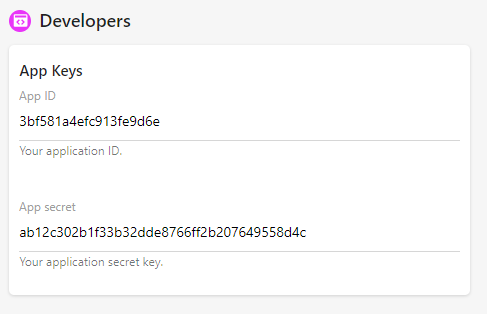
- To start the Oauth process, use the link https://clovyn.club/oauth?app_id={YOUR_APP_ID}
- Once the end user clicks this link, he/she will be redirected to the authorization page.
- Once the end user authorization the app, he/she will be redirected to your domain name with a GET parameter "code", example: http://yourdomain/?code=XXX
- In your code, to retrieve the authorized user info, you need to generate an access code, please use the code below:
PHP:<?php $app_id = 'YOUR_APP_ID'; // your application app id $app_secret = 'YOUR_APP_SECRET'; your application app secret $code = $_GET['code']; // the GET parameter you got in the callback: http://yourdomain/?code=XXX $get = file_get_contents("https://clovyn.club/authorize?app_id={$app_id}&app_secret={$app_secret}&code={$code}"); Respond: { "id": "1", "verified_final": true, "fullname": "admin", "country_txt": "Algeria", "age": 0, "profile_completion": 57, "profile_completion_missing": [ "first_name", "last_name", "facebook", "google", "twitter", "linkedin", "instagram", "phone_number", "interest", "pets", "live_with", "car", "religion", "smoke", "drink", "travel" ] } ?>
